Four checks for supermarket billing
See scale billing, invoice scanning, offline checkout and the closing workflow.
Watch demoSee scale billing, barcodes, supplier invoices and end-of-day reports.
See scale billing, invoice scanning, offline checkout and the closing workflow.
Watch demoA quick tour of barcode checkout, split payments, weighing scales and supplier invoice scanning.
Watch demoSee the bill lines matched to products, the total checked and the purchase recorded.
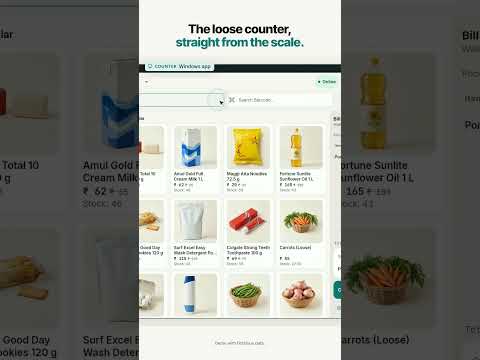
Watch demoA quick example of weighing rice, dal and produce and checking the separate lines on the receipt.
Watch demoScan a basket, split cash and UPI, and see the savings appear on the receipt.
Watch demoSee a member earn points on the receipt and use them later in the web POS demo.
Watch demoThe demo shows a bill saved locally and synced when the connection returns.
Watch demoFollow the cost of a one-kilo pack and see how the shelf label is printed.
Watch demoSee how the supermarket records expiry dates and identifies stock that expires first.
Watch demoSee a supermarket’s cash expense, register count and end-of-day reports.
Watch demoFollow a supermarket counter through supplier purchases, barcode checkout, weighed goods and closing.
Watch demoSee how a grocery counter receives stock, labels shelf items and bills loose goods by weight.
Watch demoFollow a supermarket team’s shifts, attendance and leave approvals through to the monthly payslip.
Watch demoLet’s look at your counter
Tell us what you sell, how you receive stock and what slows your team down. We’ll arrange a free consultation around the workflow you want to evaluate.
Already a customer? Visit support and guides →